
DB Reverse
Easiest way to import database tables into Astah, and auto-generate ER Diagrams with imported tables quickly.

Latest Version
1.0.9 (Updated: November 30, 2022)
Developer
Astah Support
No technical support is provided.
How to Install
- Download the Plug-in file.
- After the download is complete, drag the downloaded .jar file to an open instance of Astah. A pop-up will appear asking you to confirm installation, choose [OK]. Then restart Astah.
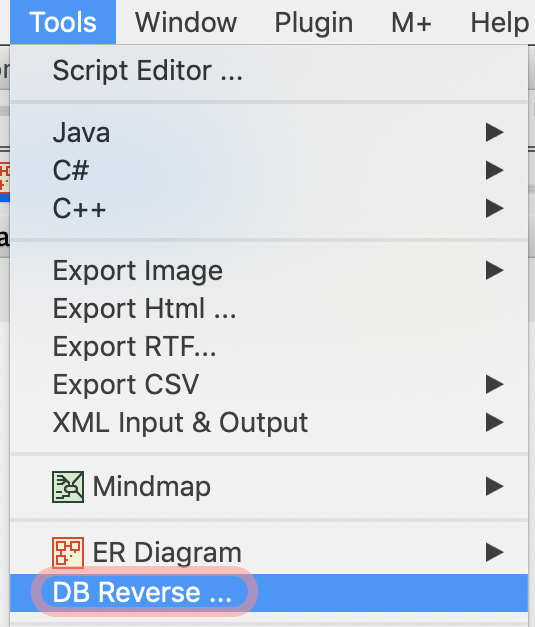
- If the [DB Reverse] option is added under [Tools], installation is complete!
How to Use
- Go to [Tools] – [DB Reverse].
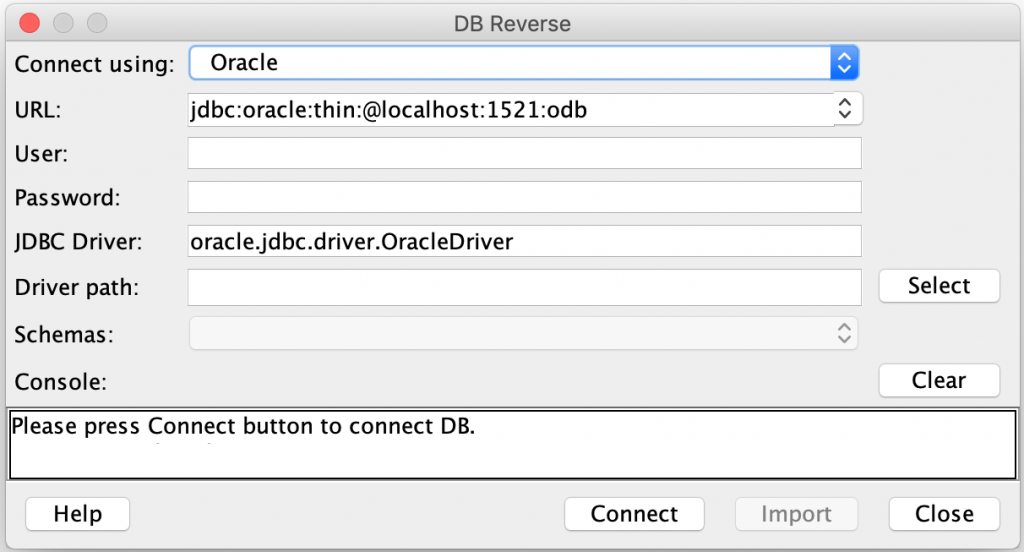
- [DB Reverse] window opens. Configure the information to connect to a specific Database and then click [Connect].
A JDBC driver is required. If you don’t have one, download the JDBC driver that fits your requirements.
 Options under Connect using:
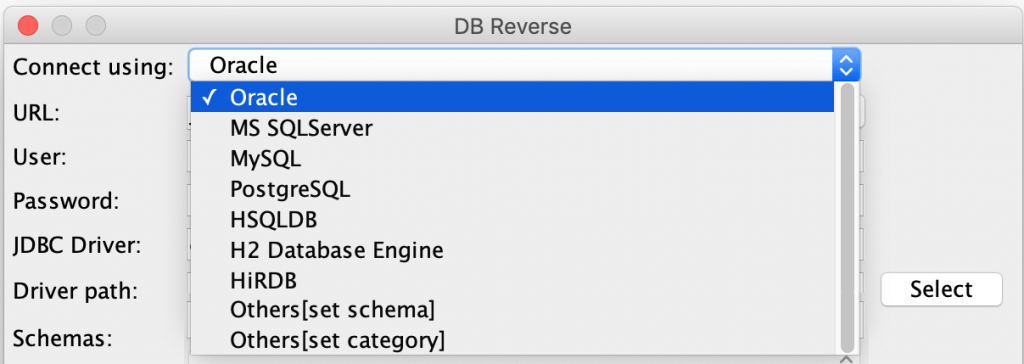
| Others [get schema] | Imports table information by schema |
| Others [set category] | Imports table information by category |
Example: How to enter when connecting HSQLDB
| URL | jdbc:hsqldb:hsql://localhost |
| User | sa |
| Password | xxxxx |
| JDBC Driver | org.hsqldb.jdbcDriver |
| Driver path | C:\hsqldb-2.2.5\hsqldb\lib\hsqldb.jar |
Example: How to enter when connecting SQLServer
| URL | jdbc:sqlserver://localhost:1433/database name |
| User | xxxxx |
| Password | xxxxx |
| JDBC Driver | com.microsoft.sqlserver.jdbc.SQLServerDriver |
| Driver path | C:\xxx\sqljdbc42.jar |
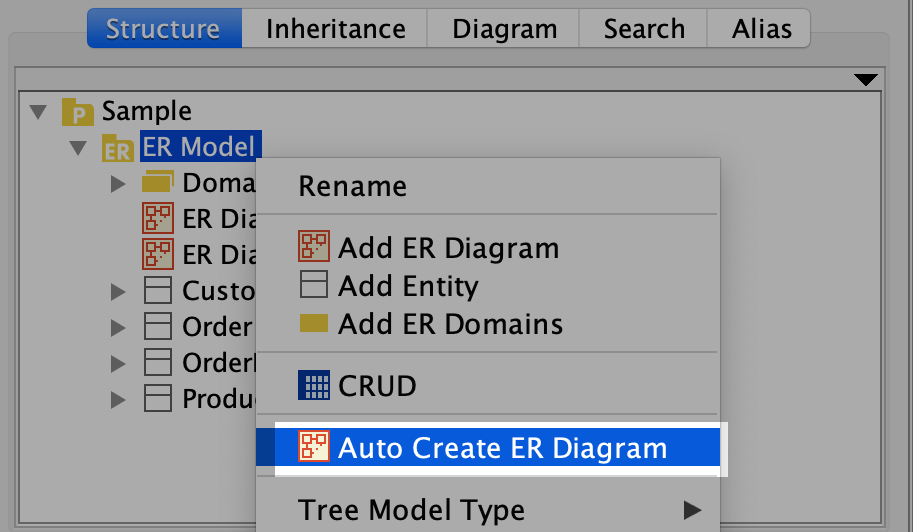
Table models will be imported. To generate an ER Diagram from the imported models, click [Auto Create ER Diagram] on the package’s pop-up menu.
Download Old Versions
| Version | Update | Compatible with | Download |
|---|---|---|---|
| 1.0.7 | 2016.10.13 | Version 6.6.4 or later |  |