Quick Links
XMI Input/Output and XMI Restrictions
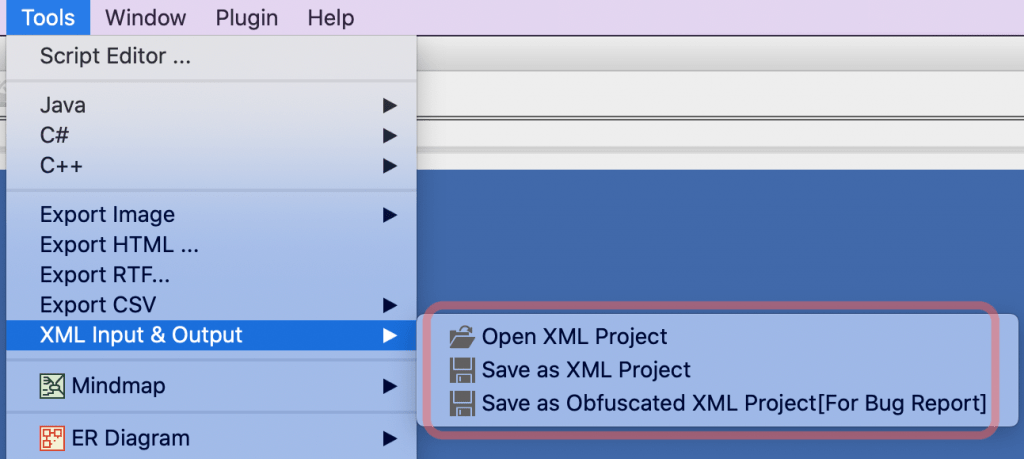
In Astah Professional information about models and diagram elements can be modified through XMI depending on purposes, such as displaying Class lists by loading XMI. Also, migration to other tools via XMI is partly supported. Please refer to the XMI restrictions below for details.
XMI Restrictions
The XMI input/output is available between Astah Professional and other tools described on this page below or in the Astah Reference manual. Technical support is not provided for any issues that arise from using XMI that is created by other tools.
Intended Purpose
Strings are encoded using java.net.URLEncoder partially. In order to decode them, use java.net.URLDecoder. Particularly the names of element, labels of presentation, 2-byte characters in items definitions are encoded. Also the values of TaggedValue are encoded if TaggedValue’s value includes plural pieces of information, in order to prevent misreading.
XMI Input-Output
- It supports XMI file compliant with XMI Specification version 1.1 (represents UML 1.4 model)
- It supports all information of models, diagrams and Mind Maps created with Astah.
- All XMI generated by Astah Professional is fully compatible with other version of Astah Professional.
- An Astah-specific format is used for diagram information, Mind Maps and UML 2.x models. The information about the Astah-specific format is currently not available to the public.
Since UML 2.0 Metamodel had a major revision, Astah is extending the UML 1.4 Metamodel in order to provide the presentation of UML 2.x models with consideration of compatibility.
Encoding rules
Strings are encoded using java.net.URLEncoder partially. In order to decode them, use java.net.URLDecoder. Particularly the names of element, labels of presentation, 2-byte characters in items definitions are encoded. Also the values of TaggedValue are encoded if TaggedValue’s value includes plural pieces of information, in order to prevent misreading.
XMI Input-Output for Rational Rose(TM)
- Rational Rose(TM) 2003/2002 XMI Add-in 1.3.6 format (model and diagram information) and Enterprise Architect(TM) 4.1 (Unisys/Rose format) XML format are partially supported.
- It supports XMI file compliant with XMI Specification version 1.1 (represents UML 1.3model)
- Some data such as order of overlapping of models, colors, and details of models, may be lost due to specification differences between applications.
- Model elements of Class and UseCase diagrams are mostly supported: Class / Interface / Actor / UseCase / Entity /Control /Boundary / Attribute / Operation / Argument (parameter) / Basic Type (as a DataType) / Association Class / Association / Multiplicity / Generalization / Dependency / Realization / Stereotype / Package / Note / Note Anchor
- Supported model elements except for Class and UseCase diagram’s: Component / Node When Rose XMI is inputted to Astah Professional, "Use Case View Package" will be rendered as Model "Use Case View" and "Component View Package" as Subsystem "Component View". Other elements will be loaded under the Astah project Model.
- Following model elements will be transformed into different model type due to restrictions of Rational Rose(TM):
- Subsystem -> Package (operations will be lost)
- Model -> Package
- Classifier -> Class
- Artifact -> Class
- Following model cannot be migrated due to restrictions of Rational Rose(TM): Stereotype of UseCase / Dependency between UseCases / Include / Extend / Extension Point / Association, Dependency, Realization between models except for Classes and UseCases/ Node Instance / Component Instance / Object / Link / Constraint / Text / Rectangle / Line / Pasted Image
- Following model will be transformed into different model type due to restrictions of Astah professional:
- Parameterized class -> Class (formal parameters will be lost)
- Following model cannot be migrated due to restrictions of Enterprise Architect(TM):
- Stereotype of Class (Entity, Control and Boundary will be normal Class)


![Subscribe to our blog! [Subscribe]](/resources/images/main/rss.png)